
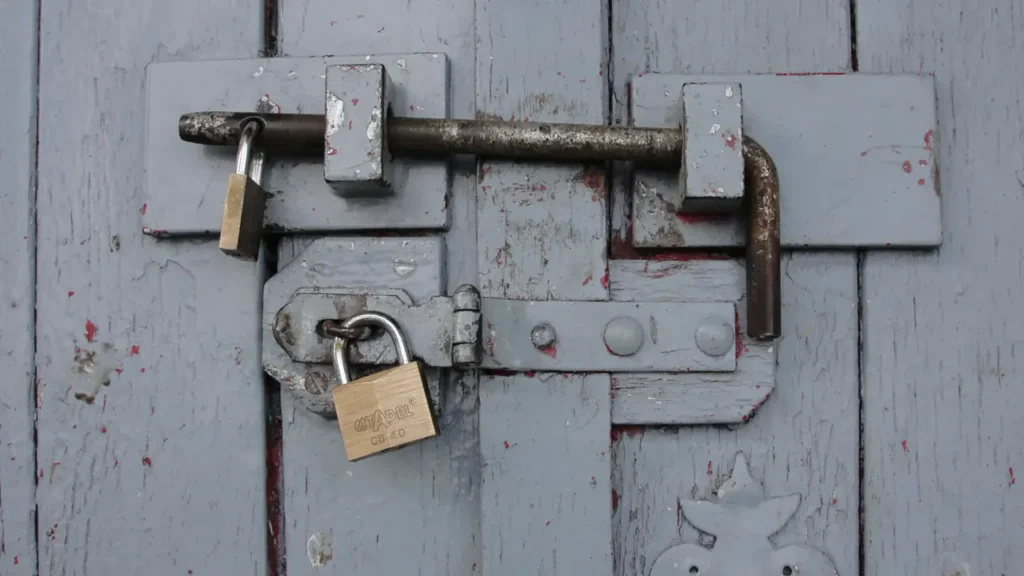
A ChexSystems security freeze stops ChexSystems from releasing your file without your permission, which makes it much harder for someone to open a checking or savings account in your name. You can place it online, by phone or by mail, and ChexSystems says it does not charge a fee to place or lift one. The catch: you must lift it before you apply for an account yourself.
Quick answer
How do I place a ChexSystems security freeze?
Log in or register on the ChexSystems Consumer Portal and choose Place a Freeze, call the ChexSystems Security Freeze Department, or mail a written request with copies of your ID, Social Security card and proof of address. ChexSystems sends you a PIN, which you need to lift or remove the freeze later.
Facts checked in November 2026 against official sources. Rules and fees change, so confirm with the provider before you act.
This research-based guide follows the ChexSystems security freeze pages and the FTC’s guidance on credit freezes. It covers placing the freeze, keeping your PIN safe, and when to lift it.
What a ChexSystems security freeze does
ChexSystems says a freeze prohibits it from releasing any information in your consumer file without your express authorization. It is designed to stop checking, savings, credit accounts, loans or other services being approved in your name without your consent.
When a bank checks a frozen file, it receives a message that you have blocked your information. That is why a freeze can delay or prevent approval when you are the one applying. Every consumer living in the United States has the right to place one.

It covers ChexSystems only
A ChexSystems freeze applies only to your ChexSystems report. ChexSystems says that to restrict your credit reports at the major credit bureaus or other reporting companies, you must contact each of them directly. Early Warning Services is a separate company too; see ChexSystems vs Early Warning Services for how the two differ.
ChexSystems freeze vs credit bureau freeze
The FTC’s guide to credit freezes and fraud alerts covers Equifax, Experian and TransUnion. A full lock-down means freezing those three and ChexSystems.
| Point | ChexSystems security freeze | Credit bureau freeze (FTC) |
|---|---|---|
| What it protects | Your ChexSystems file, used by banks for new checking and savings accounts | Your credit reports, used for loans, cards and some rentals |
| Where you place it | ChexSystems only | Equifax, Experian and TransUnion separately |
| Cost | No fee to place or lift, though ChexSystems reserves the right to charge fees a state allows | Free to place and lift |
| How you lift it | Temporary lift or removal with your PIN | Contact the bureau the lender will use |
| How long it lasts | Until you remove it | Until you lift it |
How to place a ChexSystems security freeze
You must be 18 or older. ChexSystems offers three routes.
- Online: go to chexsystems.com, register or log in to the Consumer Portal and choose Place a Freeze.
- By phone: call the Security Freeze Department number shown on the ChexSystems freeze pages. Representatives answer 7:00 am to 11:00 pm Central Time, Monday to Friday, with an automated line at other times.
- By mail: write to the ChexSystems Security Freeze Department at the address on its site. Include your full name, current address, date of birth and Social Security number, a colour copy of your driver’s license or state ID (front and back), a copy of your Social Security card and a proof of address dated within the last 90 days.

Freezes for a minor, a protected consumer or another adult must be requested in writing by mail, with proof of identity and proof of authority such as a birth certificate or a notarized power of attorney.
Keep your PIN safe
After you place the freeze, ChexSystems gives you a unique PIN by mail or in the Consumer Portal. You need it for a temporary lift, to remove the freeze and to change details such as your address. Store it with your important papers, not in your email inbox.
If you lose it, request a replacement PIN online or by mail. ChexSystems may ask you to register for the portal with your PIN, so keep it even if you rarely log in.

When to lift the freeze, and how
Lift the freeze before you apply for a new checking or savings account at a bank or credit union that uses ChexSystems. Ask the bank which report it checks and when; if it uses only Early Warning Services, the ChexSystems freeze may not be the issue.
- Temporary lift: in the portal, schedule a lift for the dates you will apply, then let it end.
- Remove a temporary lift: end it early if you finish sooner.
- Permanent removal: remove the freeze entirely if you no longer want it.
ChexSystems also accepts lift requests by mail, which takes longer, so plan ahead if you have a bank appointment.

When the freeze is worth keeping
A freeze is most useful if your Social Security number or ID has been stolen, if you were a victim of check fraud, or if you do not plan to open bank accounts for a while. If you are about to switch banks, consider placing it after the new account is open.
Freeze, dispute or removal: which do you need?
A freeze protects your file going forward. It does not delete records that are already there, and it does not raise your score.
If a record on your file is wrong, read how to dispute a ChexSystems record. If it is accurate, see how to get off ChexSystems. To see what is on file before you freeze it, request your ChexSystems report.

A note for newcomers from India
ChexSystems asks for a Social Security number in freeze requests, so the freeze is mainly for people who already have an SSN. Never share your SSN, PIN or bank login over WhatsApp or phone calls, even with callers who claim to be from a bank or a US agency. Read whether it is safe to send money to India online for the scams that target Indian families.
Frequently asked questions
Is a ChexSystems security freeze free?
ChexSystems says it does not charge a fee to place or lift a security freeze, though it reserves the right to apply fees where a state allows them. Check the Notice of Rights for your state on the ChexSystems site before you apply.
Does a ChexSystems freeze affect my credit score?
No. ChexSystems is not a credit bureau, and a ChexSystems freeze does not change your credit reports. The FTC says a freeze at the credit bureaus does not affect your credit score either. Read our guide on whether ChexSystems affects your credit score.
Will a freeze stop me opening a bank account?
It can. A bank that checks a frozen file gets a message that you blocked your information, which can delay or prevent approval. Schedule a temporary lift in the portal before you apply.
Does a ChexSystems freeze remove negative records?
No. A freeze only controls who can see your file. Records already reported stay until they age off or are corrected through a dispute or by the bank that reported them.
Next step: check what is on your file
Before or after you freeze it, look at what ChexSystems already holds. Find out how long ChexSystems records last, and read whether ChexSystems affects your credit score so you protect the right files.
For every second-chance option in one place, see our complete guide to second chance banking.